
Manage tables, waiter orders, kitchen workflow and takeaway with Comanda Facile
Comanda Facile is the restaurant-oriented solution in the LibertyCommerce ecosystem. It connects tables, waiter orders, preparation areas, reservations, takeaway, checkout and restaurant statistics so that an order can move from the customer’s table to the kitchen without being rewritten several times.
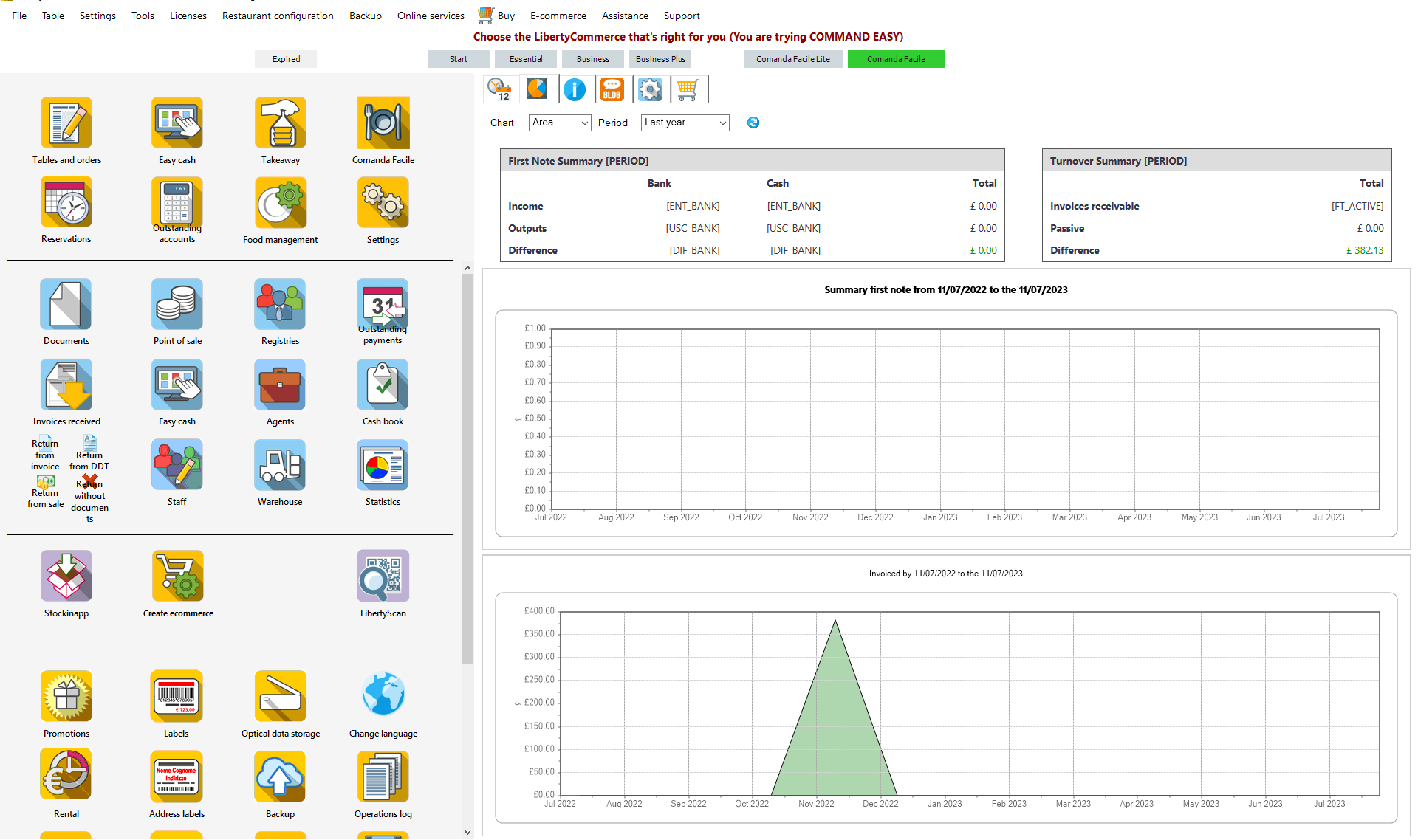
Restaurant workstation + mobile waiter app
Comanda Facile combines a central restaurant workstation with mobile devices used by staff. The central application manages the restaurant data and operational workflow, while the app allows waiters to work directly from the dining room.
Comanda Facile Restaurant
The central restaurant application manages the operational environment: products and dishes, tables, orders, printers, reservations, takeaway, checkout and the other restaurant functions available in the configuration.
- restaurant rooms and tables;
- dishes, recipes and ingredients;
- order routing to preparation areas;
- payments and checkout;
- restaurant statistics.
Comanda Facile APP
Waiters can use a smartphone or tablet to select the table, add dishes and variations and transmit the order to the restaurant system.
- table selection;
- dish categories and favourites;
- order variations and notes;
- pre-bill workflow;
- Android and iOS waiter-order workflow.
A restaurant order should travel without being rewritten
Select the table
The waiter identifies the room, table and service being handled.
Take the order
Dishes, drinks, quantities and variations are entered from the waiter device or workstation.
Send to preparation
The order can be routed to the kitchen, bar, pizzeria or another configured preparation area.
Manage the table
Staff can continue the service while the restaurant keeps the table order organised.
Checkout
At the end of service, the account and payment are handled from the restaurant workflow.
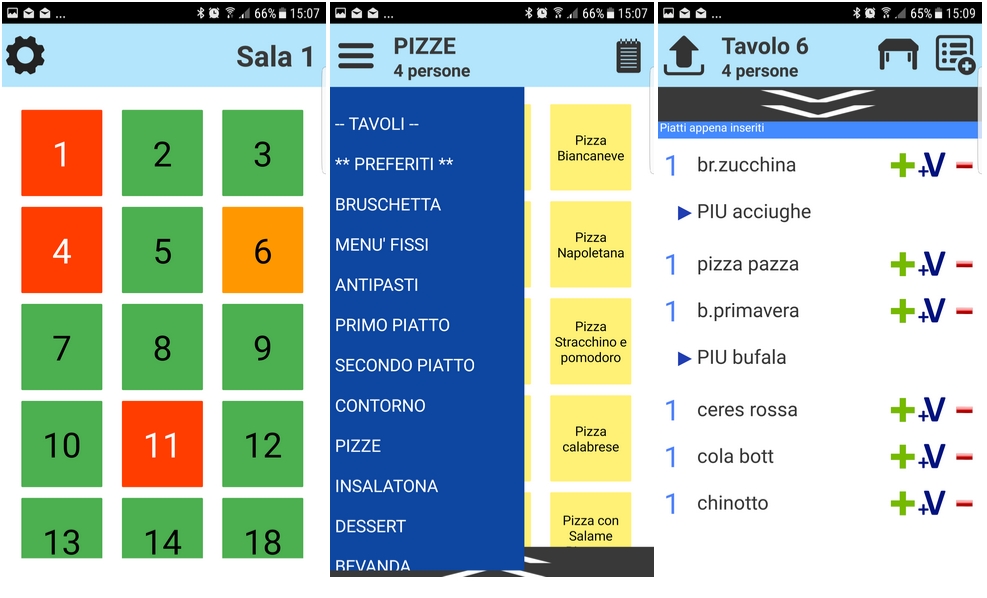
Tables, menu categories and order details on the mobile device
The waiter app is designed around restaurant service rather than a generic data-entry form. The table overview helps staff identify the table, while menu categories make dishes easier to find during order taking.
The order screen can include quantities and variations, helping staff communicate changes or additions to the preparation workflow.
- visual table status;
- menu categories;
- dish selection;
- order variations;
- current table order;
- staff-oriented interface.
What can Comanda Facile manage?
Tables & rooms
Organise dining areas, tables and the number of covers associated with restaurant service.
Waiter orders
Associate orders with tables and staff members and keep the service workflow organised.
Waiter AppKitchen, bar & pizzeria
Configure order printing for different preparation areas so each department receives the relevant items.
Restaurant PrintersReservations
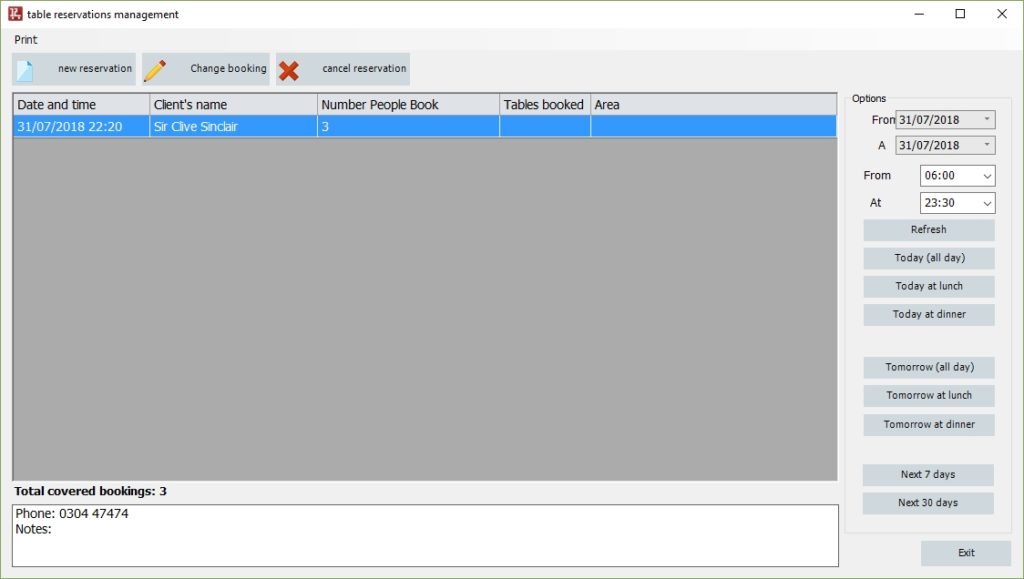
Record reservations with date, time, customer information and the other details used by the reservation workflow.
Reservation ManagementTakeaway
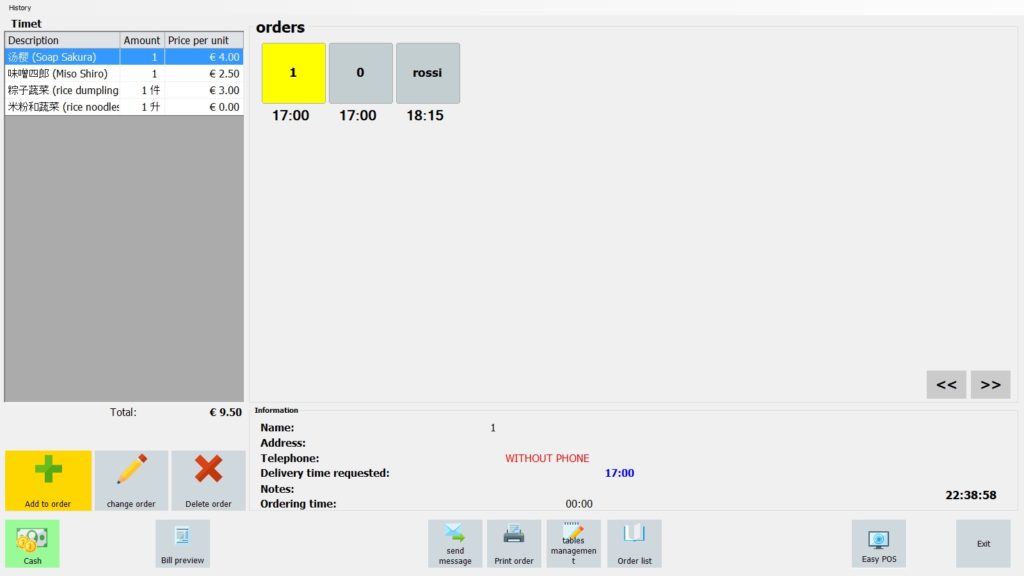
Manage takeaway orders, requested times and the information needed to organise collection or delivery.
Takeaway ManagementRestaurant statistics
Analyse receipts, payment methods, waiter takings and best-selling dishes using the restaurant statistics tools.
Restaurant StatisticsDishes & recipes
Define dishes and their composition so menu items can be organised within the restaurant management environment.
Payments
Manage the payment methods used at checkout according to the restaurant configuration.
Staff activity
Associate orders with operators and use statistics to analyse selected aspects of waiter activity.
One restaurant can have several order channels
A modern restaurant may need to manage customers already seated at a table, reservations for later in the day and takeaway orders requested by phone or directly at the premises.
Comanda Facile keeps these workflows inside the same restaurant-oriented ecosystem, while giving each operation the information it actually needs.
Table service
Orders stay associated with the table throughout the service and checkout workflow.
Reservations
Record date, time, customer contact information and booking details.
Takeaway
Organise order time, dishes and optional customer or delivery information.
Statistics can help you understand what happens during service
Restaurant software collects operational data as orders are taken and payments are recorded. Comanda Facile includes statistics that can be used to review restaurant activity.
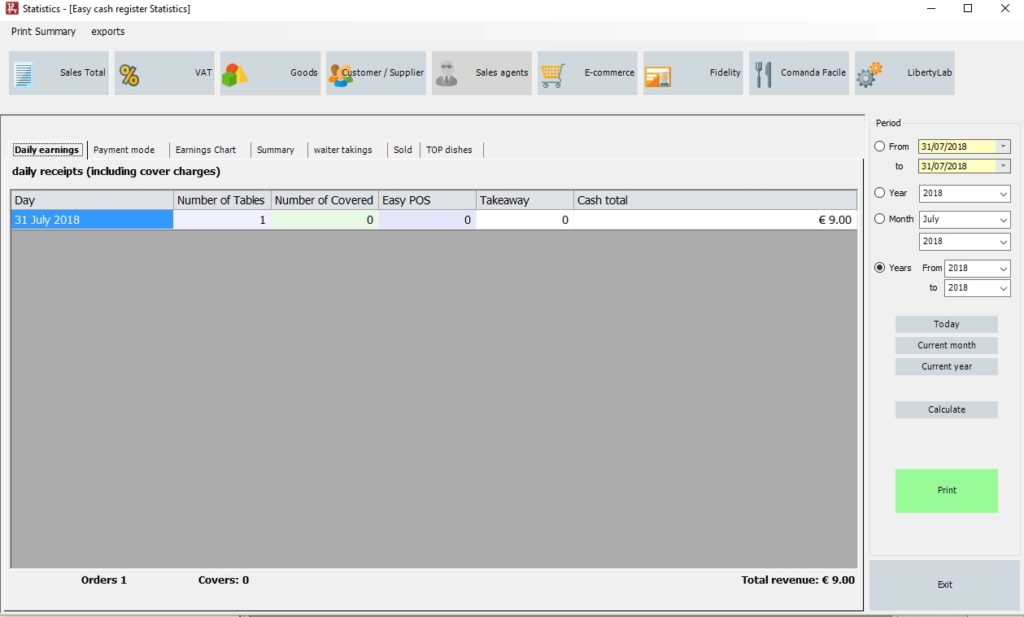
Examples of available analysis
- daily receipts;
- payment methods;
- receipt or collection charts;
- waiter takings;
- best-selling dishes;
- selected restaurant activity by period.
Send the right part of the order to the right department
Comanda Facile can use printers configured for restaurant preparation areas. This allows the kitchen, bar, pizzeria or another department to receive the items relevant to its work without waiting for the waiter to rewrite the order.
The international site also documents the use of 80 mm printers visible to Windows for restaurant order printing. Compatibility should always be checked for the exact printer, connection method and deployment.
Restaurant workflows can vary, but the need to coordinate orders is shared
Same ecosystem, different operational focus
LibertyCommerce
The main business-management solution for inventory, sales, customers, suppliers, quotations, orders, barcodes and business documents.
Comanda Facile
The restaurant-oriented solution adds workflows designed around tables, waiter orders, preparation areas, reservations, takeaway and restaurant checkout.
Comanda Facile restaurant software: quick answers
What is Comanda Facile?
Comanda Facile is the restaurant-oriented solution in the LibertyCommerce ecosystem. It is designed to connect tables, waiter orders, preparation areas, reservations, takeaway, checkout and restaurant statistics.
Can waiters take orders from a smartphone or tablet?
Yes. Comanda Facile APP is designed for waiter order taking from mobile devices connected to the restaurant system.
Can orders be sent to different preparation areas?
Yes. Order printing can be configured for different areas such as kitchen, bar or pizzeria so the relevant parts of an order reach the appropriate department.
Can Comanda Facile manage restaurant reservations?
Yes. The reservation workflow can record details such as date, time and customer contact information.
Can it manage takeaway orders?
Yes. Comanda Facile includes a takeaway workflow for orders taken by phone or directly at the premises, with timing and optional customer information.
Does Comanda Facile provide restaurant statistics?
Yes. Available statistics include information such as daily receipts, payment methods, waiter takings and best-selling dishes.
Can I manage different payment methods?
Yes. The restaurant workflow supports payment-method management according to the configuration being used.
Does Comanda Facile manage dishes and recipes?
The restaurant system includes dish definition and composition features, allowing menu items to be organised with recipe-related information.
Which printers can I use for restaurant orders?
The international documentation describes support for suitable 80 mm printers visible to Windows for order printing. The exact printer, driver and connection should be verified before purchase or deployment.
Can I try Comanda Facile before deciding?
Yes. The international site provides a demo request page where you can evaluate the restaurant-management workflow before choosing a configuration.
Test Comanda Facile with the way your restaurant actually works
Tell us how many rooms and tables you manage, how waiters currently take orders, which preparation areas need to receive them and whether you also handle reservations or takeaway. A realistic demo is the best way to understand how Comanda Facile can fit your service workflow.
